Automated Fee Collection for Schools, Colleges and Coaching Institutes
UPI Autopay & eNACH mandate-based fee collections — go live in 48 hours, with a dedicated account manager and custom workflow flexibility.

Automated Fee Collection for Schools, Colleges and Coaching Institutes
UPI Autopay & eNACH mandate-based fee collections — go live in 48 hours, with a dedicated account manager and custom workflow flexibility.
Automated Fee Collection for Schools, Colleges and Coaching Institutes
UPI Autopay & eNACH mandate-based fee collections — go live in 48 hours, with a dedicated account manager and custom workflow flexibility.
Fee Collection with the Right Infrastructure
Fee Collection with the Right Infrastructure
Higher Collections Efficiency
Smart retry basis user balance, preventing debit failure

Go-Live in 48 Hours
Simple API integrations and support to get you collecting fast

24/7 Account Manager
We wont let you get blocked for minor issues. Dedicated support at all times

Custom Retry Schedules
Design your own penalties, retries, amounts and schedules to mirror internal policy

On Time Settlements
Reliable settlements that keep your operations smooth

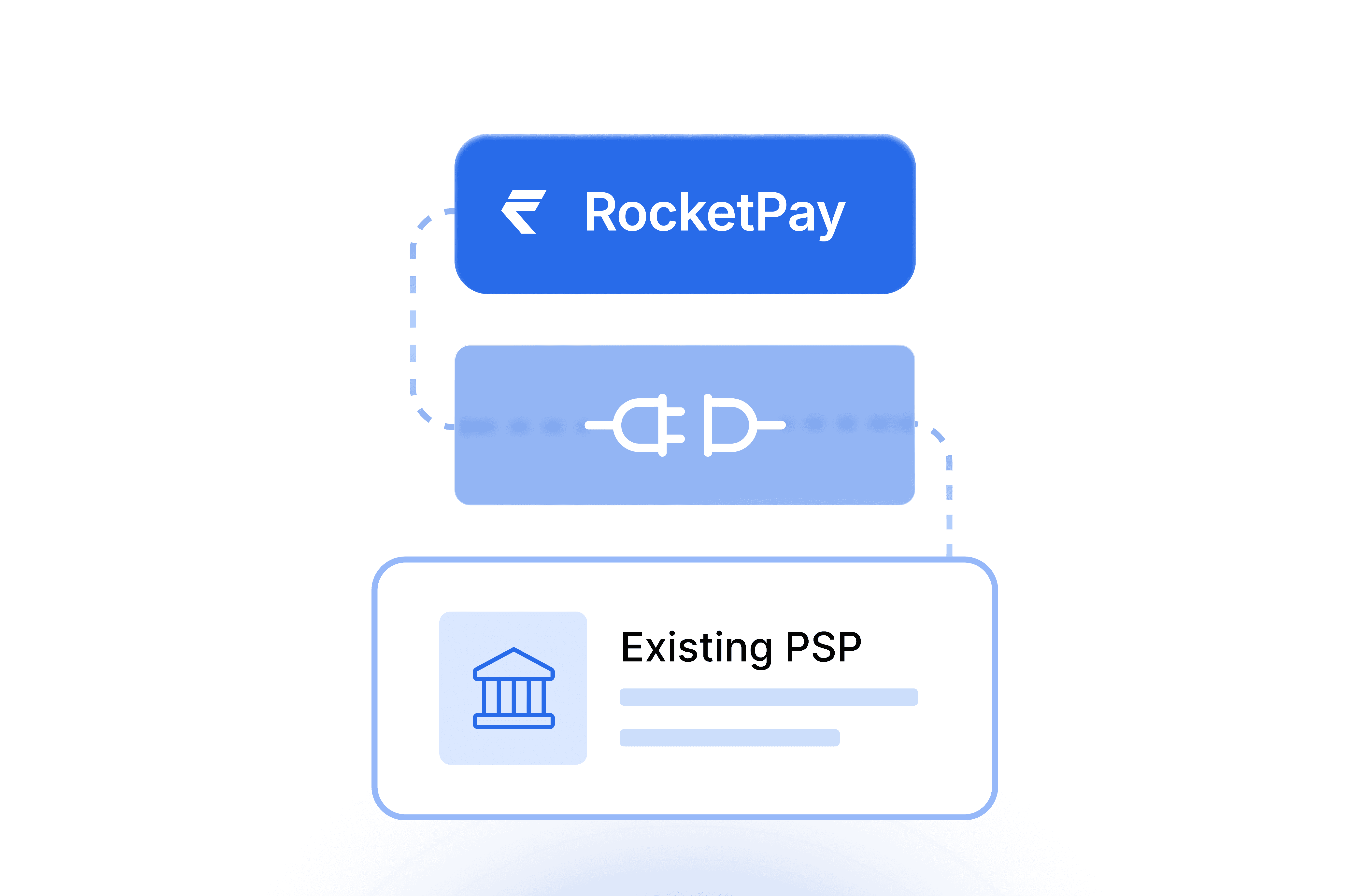
Plugs into Your Existing PSP
RocketPay won't replace but sits on top of your workflow
Integration & Setup
Simple integrations for schools and institutes
Member Onboarded & Mandate Registered
Member Onboarded & Mandate Registered
UPI Autopay or eNACH
Via API & SDK
Deposit Schedule & Mandate Authorised
Member Onboarded & Mandate Registered
Amount & frequency configured
Monthly, quarterly or custom
Auto Collection Presented
Member Onboarded & Mandate Registered
Auto presentation via UPI Autopay or eNACH
Optimised timing
Settled to You
Member Onboarded & Mandate Registered
Settlement on T+1
Every settlement on time
Built for every institute that collects fees online
Schools
Institutions trust RocketPay
Businesses Served
Businesses Served
Mandates created
Mandates created
Go-Live
Go-Live
Go-Live
Deploy RocketPay Your Way
Deploy RocketPay Your Way
Two ways to get started — pick what fits your team and technical setup
Two ways to get started — pick what fits your team and technical setup
API & SDK
Integrate RocketPay directly into LMS/LOS. Full control over mandate creation, collection scheduling & status tracking
For LMS/LOS integrations
Webhooks and mandate status APIs
Real-time debit status and retry hooks
Works with your existing PSP
Go live in 48 hours

Android App
Quick onboarding for smaller lenders or hybrid field teams. Create mandates and track collections on the go
No API integration needed
Mandate creation from mobile
Real-time collection status
Ideal for field officers and smaller NBFCs
Go live in 48 hours
API & SDK
Integrate RocketPay directly into LMS/LOS. Full control over mandate creation, collection scheduling & status tracking
For LMS/LOS integrations
Webhooks and mandate status APIs
Real-time debit status and retry hooks
Works with your existing PSP
Go live in 48 hours
Android App
Quick onboarding for smaller lenders or hybrid field teams. Create mandates and track collections on the go
No API integration needed
Mandate creation from mobile
Real-time collection status
Ideal for field officers and smaller NBFCs
Go live in 48 hours
Got questions?
We’ve got answers.
Still have questions?
Contact us and we’ll help you out.
01
What is a mandate?
A mandate is a one-time setup that allows you to auto-debit your customer's account on a scheduled date. Your customer approves it once — and after that, the payment comes automatically. You don't need to call them, remind them, or wait. This happens through UPI Autopay or eNACH, which are the standard systems in India for automatic payment collection.
01
What is a mandate?
A mandate is a one-time setup that allows you to auto-debit your customer's account on a scheduled date. Your customer approves it once — and after that, the payment comes automatically. You don't need to call them, remind them, or wait. This happens through UPI Autopay or eNACH, which are the standard systems in India for automatic payment collection.
02
Can we collect fee amounts above ₹15,000?
The limit applies to each payment, not to the mandate. UPI Autopay collects up to ₹15,000 per payment. eNACH collects up to ₹10 lakh per payment. Term and annual fees usually cross ₹15,000, so eNACH is the instrument for those, while UPI Autopay suits monthly instalment plans that stay under the cap. You may have read that UPI allows up to ₹5 lakh for education — that applies when a parent makes a one-time UPI payment themselves, not to automatic mandate-based collection.
02
Can we collect fee amounts above ₹15,000?
The limit applies to each payment, not to the mandate. UPI Autopay collects up to ₹15,000 per payment. eNACH collects up to ₹10 lakh per payment. Term and annual fees usually cross ₹15,000, so eNACH is the instrument for those, while UPI Autopay suits monthly instalment plans that stay under the cap. You may have read that UPI allows up to ₹5 lakh for education — that applies when a parent makes a one-time UPI payment themselves, not to automatic mandate-based collection.
03
Do parents have to authorise the mandate again every term?
No. A parent authorises once, and every collection on the agreed schedule runs automatically after that — no OTP or PIN each time. The dates and amounts are fixed when the parent authorises. A single mandate can run across terms, or across a full course, as long as the schedule is set at the start.
03
Do parents have to authorise the mandate again every term?
No. A parent authorises once, and every collection on the agreed schedule runs automatically after that — no OTP or PIN each time. The dates and amounts are fixed when the parent authorises. A single mandate can run across terms, or across a full course, as long as the schedule is set at the start.
04
How do I set up a mandate for a parent?
Create mandate → Add the parent's details and set the payment schedule → Share the mandate link → Parent approves once via UPI AutoPay or eNACH → Fee collections happen automatically on the dates you set.
04
How do I set up a mandate for a parent?
Create mandate → Add the parent's details and set the payment schedule → Share the mandate link → Parent approves once via UPI AutoPay or eNACH → Fee collections happen automatically on the dates you set.
05
How does a parent approve a UPI AutoPay mandate?
Via link — Share the mandate link with the parent → They open it and confirm the details → A request appears on their UPI app → They accept and enter their PIN → Mandate is active. Via QR code — Share the QR code with the parent → They scan it using any UPI app → They are taken directly to the approval page → They accept and enter their PIN → Mandate is active.
05
How does a parent approve a UPI AutoPay mandate?
Via link — Share the mandate link with the parent → They open it and confirm the details → A request appears on their UPI app → They accept and enter their PIN → Mandate is active. Via QR code — Share the QR code with the parent → They scan it using any UPI app → They are taken directly to the approval page → They accept and enter their PIN → Mandate is active.
06
How does a parent approve an eNACH mandate?
The parent receives the mandate link → Opens it and confirms the details → Enters their bank account details → Chooses how to verify — net banking, debit card, or Aadhaar OTP → Completes the verification on their bank's page → Mandate is active.
06
How does a parent approve an eNACH mandate?
The parent receives the mandate link → Opens it and confirms the details → Enters their bank account details → Chooses how to verify — net banking, debit card, or Aadhaar OTP → Completes the verification on their bank's page → Mandate is active.
07
What do the different payment statuses mean on my dashboard?
Upcoming — The payment date hasn't arrived yet. Payment collection initiated — The debit request has been sent to the parent's bank. Payment collected, processing — The payment has been debited. The money is on its way to you. Payment failed — The payment didn't go through. You can retry on any date you choose from your dashboard. Settlement initiated — The money is being sent to your bank account. Payment deposited to you — The money has been credited to your account. Settlement failed — There was an issue sending the money to your account. RocketPay retries automatically. You can also reach out to our 24x7 support. Skipped — You skipped this payment. No debit was attempted. Manually collected — You've marked this payment as collected outside of RocketPay.
07
What do the different payment statuses mean on my dashboard?
Upcoming — The payment date hasn't arrived yet. Payment collection initiated — The debit request has been sent to the parent's bank. Payment collected, processing — The payment has been debited. The money is on its way to you. Payment failed — The payment didn't go through. You can retry on any date you choose from your dashboard. Settlement initiated — The money is being sent to your bank account. Payment deposited to you — The money has been credited to your account. Settlement failed — There was an issue sending the money to your account. RocketPay retries automatically. You can also reach out to our 24x7 support. Skipped — You skipped this payment. No debit was attempted. Manually collected — You've marked this payment as collected outside of RocketPay.
08
How soon do I receive the money after a fee payment is debited?
Once a payment is debited from the parent's account, the money is credited to your account the next business day. This applies whether the payment was collected via UPI AutoPay or eNACH. You can check the status of every payment and settlement from your RocketPay app or dashboard.
08
How soon do I receive the money after a fee payment is debited?
Once a payment is debited from the parent's account, the money is credited to your account the next business day. This applies whether the payment was collected via UPI AutoPay or eNACH. You can check the status of every payment and settlement from your RocketPay app or dashboard.
09
What happens if a parent doesn't have enough balance on the payment date?
For eNACH mandates, the parent's bank charges them a penalty of ₹550 + GST for the failed attempt. For UPI AutoPay mandates, no penalty is charged. You can retry the collection on any future date from your RocketPay dashboard.
09
What happens if a parent doesn't have enough balance on the payment date?
For eNACH mandates, the parent's bank charges them a penalty of ₹550 + GST for the failed attempt. For UPI AutoPay mandates, no penalty is charged. You can retry the collection on any future date from your RocketPay dashboard.
10
Can we charge a late fee when a fee payment fails?
Yes, on UPI Autopay. You set it when the mandate is created and choose how it works: no late fee, charge manually if a payment fails, or charge automatically the next day. On eNACH, the bank applies its own bounce penalty, so RocketPay does not add a separate one.
10
Can we charge a late fee when a fee payment fails?
Yes, on UPI Autopay. You set it when the mandate is created and choose how it works: no late fee, charge manually if a payment fails, or charge automatically the next day. On eNACH, the bank applies its own bounce penalty, so RocketPay does not add a separate one.
11
What happens if fees are revised after parents have authorised the mandate?
The amount is fixed when the parent authorises the mandate and cannot be changed afterwards — but how much room you have depends on how the mandate was set up. On a standard mandate, a revised fee needs a fresh authorisation. On an ad-hoc mandate, you set a maximum amount at the start and collect any amount below it, so a revision that stays under that ceiling runs on the existing mandate. Where revisions are likely, set the ceiling with room above the current fee.
11
What happens if fees are revised after parents have authorised the mandate?
The amount is fixed when the parent authorises the mandate and cannot be changed afterwards — but how much room you have depends on how the mandate was set up. On a standard mandate, a revised fee needs a fresh authorisation. On an ad-hoc mandate, you set a maximum amount at the start and collect any amount below it, so a revision that stays under that ceiling runs on the existing mandate. Where revisions are likely, set the ceiling with room above the current fee.
12
Can we collect fees that change from cycle to cycle — transport, exam fees, or optional activities?
Yes, using an ad-hoc mandate. You set a maximum amount when the parent authorises, then collect any amount up to that ceiling in a given cycle. If a parent authorises a ceiling of ₹5,000, you can collect ₹3,200 in a month with no transport and ₹4,100 in a month that includes an exam fee. One authorisation covers every cycle, and the parent knows the maximum from the start.
12
Can we collect fees that change from cycle to cycle — transport, exam fees, or optional activities?
Yes, using an ad-hoc mandate. You set a maximum amount when the parent authorises, then collect any amount up to that ceiling in a given cycle. If a parent authorises a ceiling of ₹5,000, you can collect ₹3,200 in a month with no transport and ₹4,100 in a month that includes an exam fee. One authorisation covers every cycle, and the parent knows the maximum from the start.
13
What happens if a student withdraws mid-year?
Cancel the mandate and no further fee collections are attempted against it.
13
What happens if a student withdraws mid-year?
Cancel the mandate and no further fee collections are attempted against it.
14
Does RocketPay work with the school ERP we already use?
Yes. RocketPay integrates through APIs and webhooks, so collection data flows back into the ERP or campus management system you already run — tagged to the student, with real-time payment status. RocketPay replaces the collection layer, not your ERP. Institutes without a tech team can use the RocketPay Android app instead, with no integration work.
14
Does RocketPay work with the school ERP we already use?
Yes. RocketPay integrates through APIs and webhooks, so collection data flows back into the ERP or campus management system you already run — tagged to the student, with real-time payment status. RocketPay replaces the collection layer, not your ERP. Institutes without a tech team can use the RocketPay Android app instead, with no integration work.
