.png)
Built for lenders and cooperatives that collect deposits.
From NBFCs to credit cooperatives — automate recurring deposit collections on mandate.
Book DemoNBFCs
Automate recurring deposit collections with mandate infrastructure that integrates with your core banking or LMS.
Credit Cooperative Societies
Collect contributions and RD deposits from members — automated and compliant.
Other Regulated Lenders
Recurring deposit collections for any regulated entity with scheduled contributions.
What deposit collection looks like without the right infrastructure.

Low collection efficiency
Missed contributions compound — one skipped cycle often leads to the next.

Months to go live
Setting up mandate infrastructure for deposit collection takes longer than it should.

No account manager, just a ticket queue
When a member's mandate fails, your staff is left troubleshooting without a dedicated point of contact.

Fixed collection logic for varied members
Members have different contribution schedules. Rigid systems can't accommodate them.
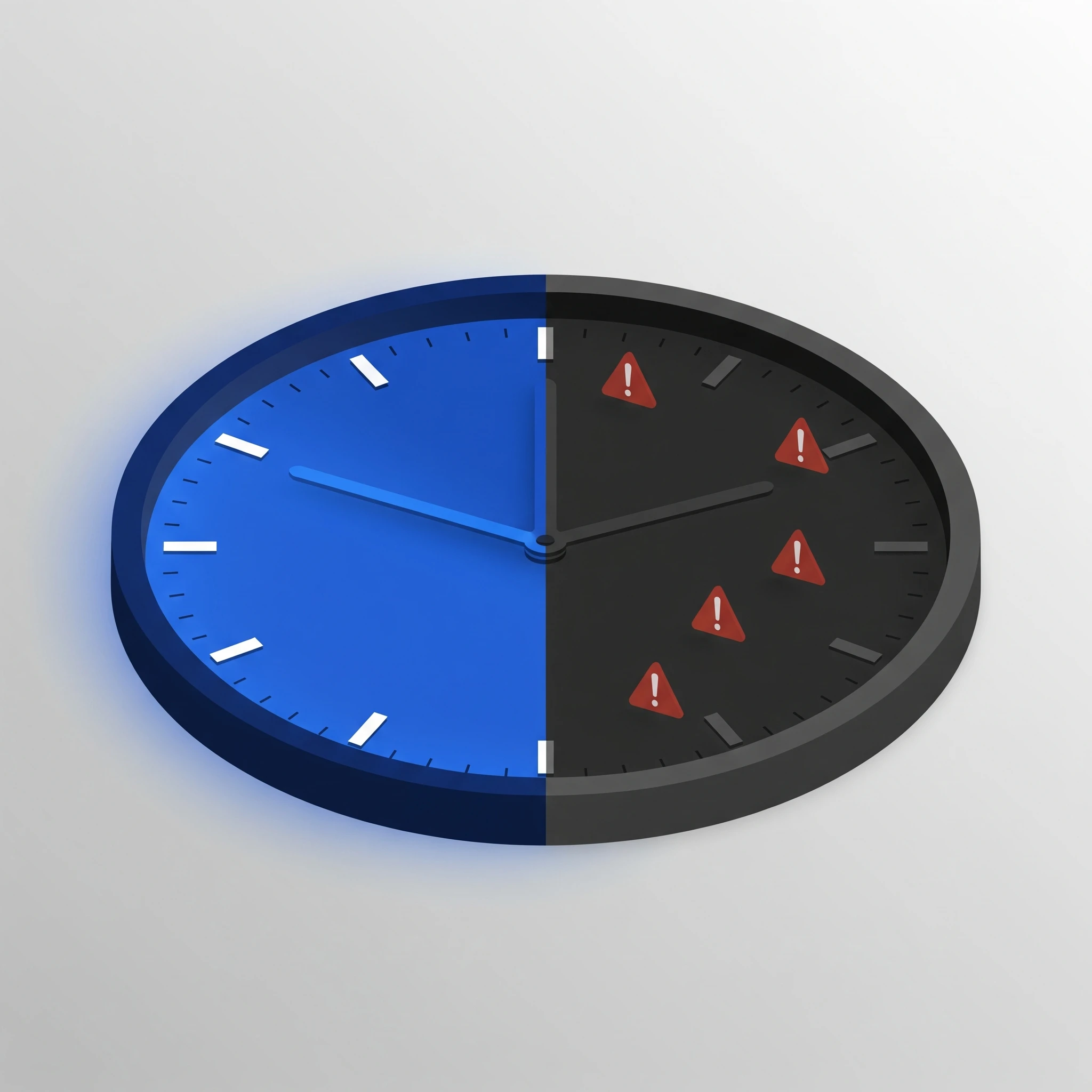
Support only during business hours
Mandate creation and collection issues don't follow a 9-to-5 schedule.
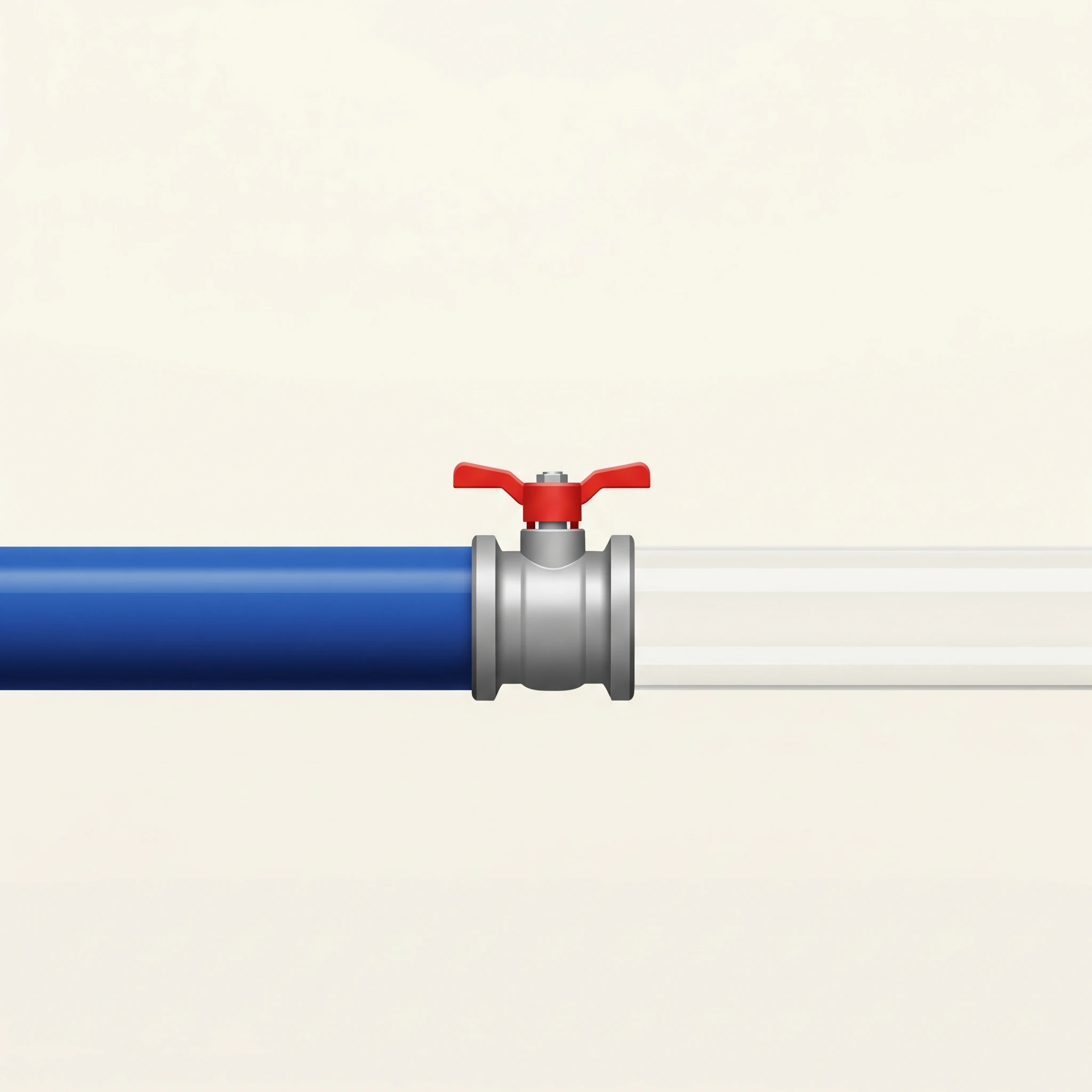
Settlement delays create reconciliation gaps
Unpredictable settlement timelines make member ledger reconciliation harder than it needs to be.
How We Help
Every deposit. Every cycle. Without the follow-up.
RocketPay automates recurring deposit collection — so contributions come in on schedule and your registers stay clean.
Higher collection efficiency
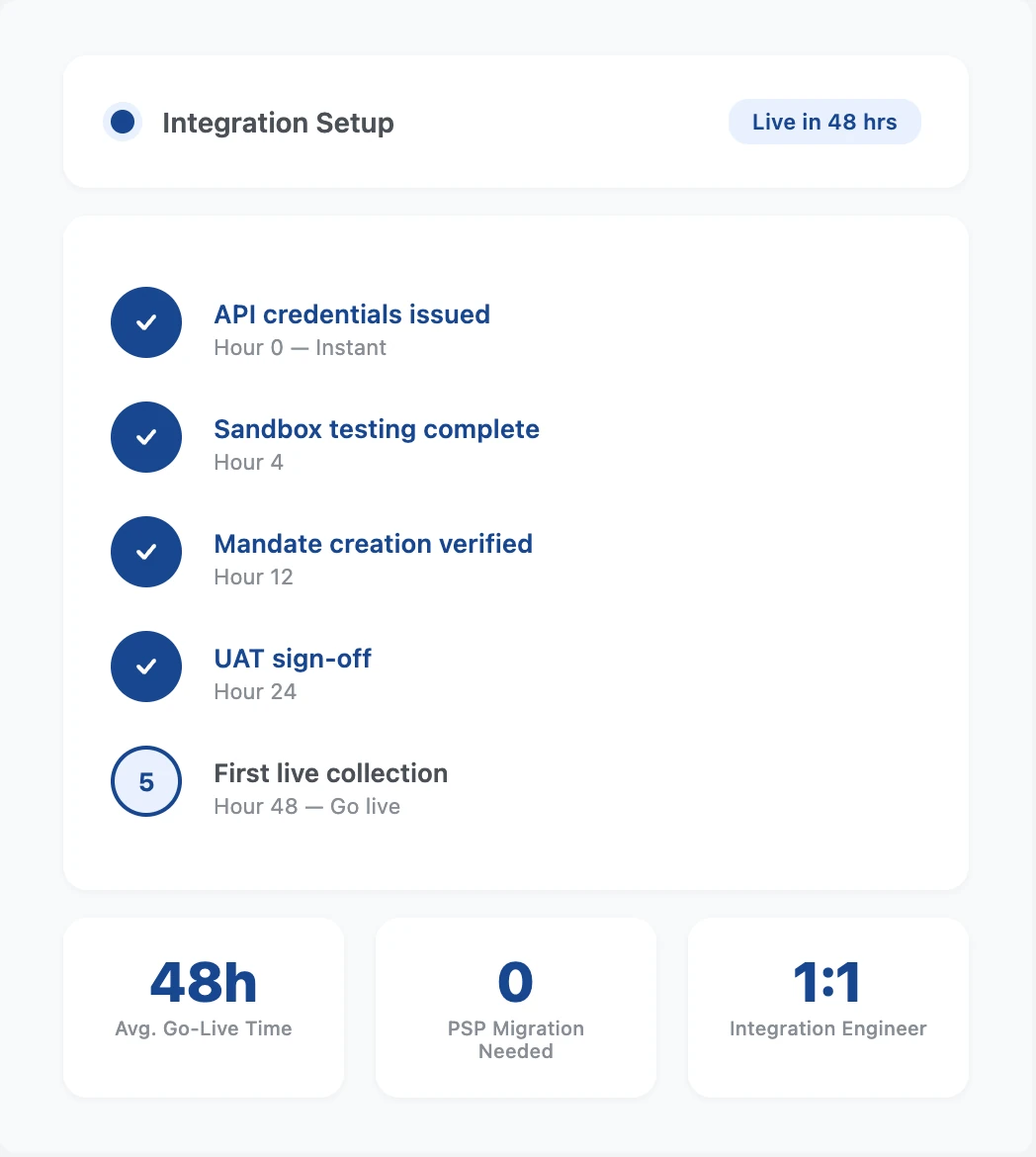
Go live in 48 hours
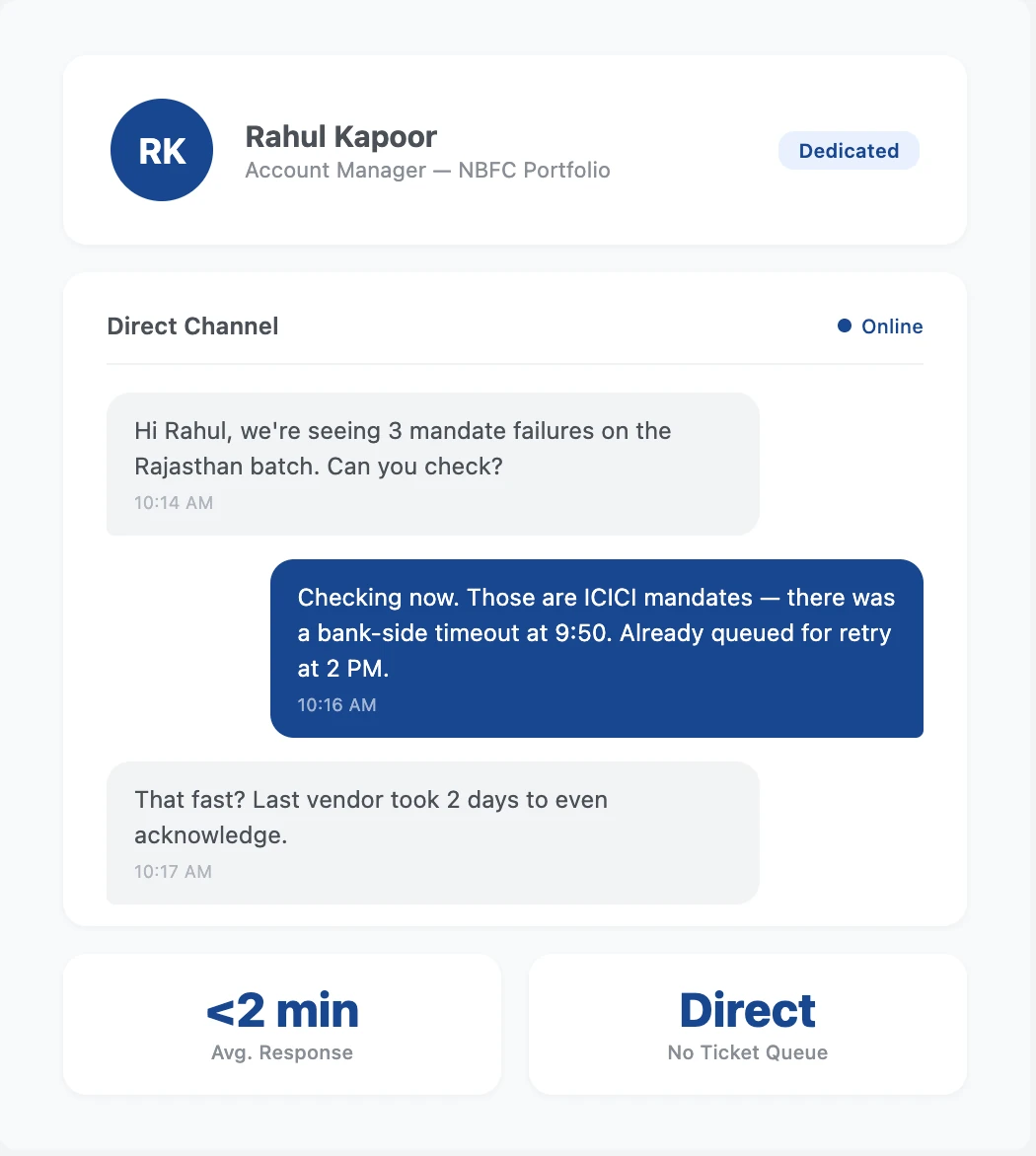
Dedicated Account Manager
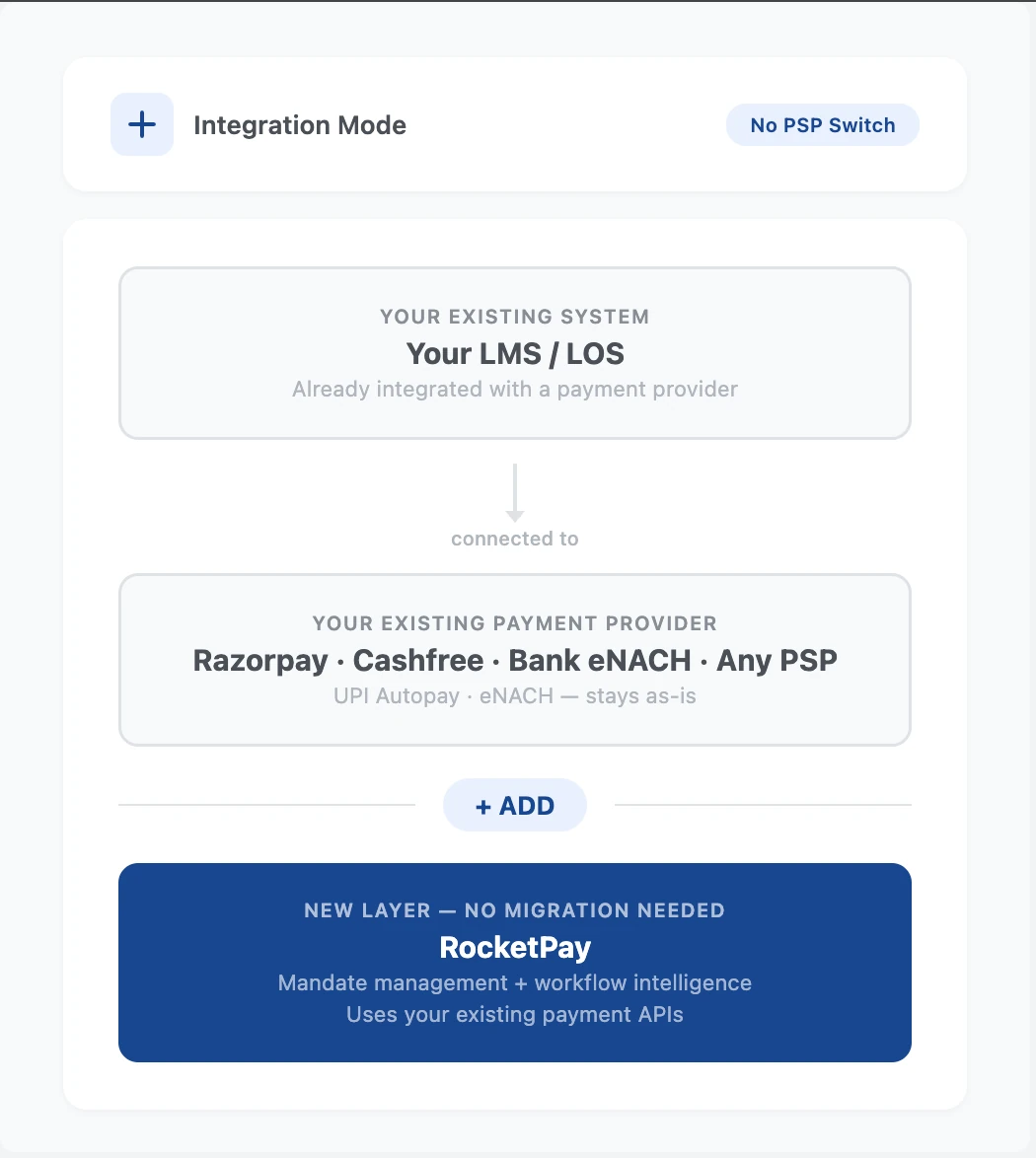
Works with your existing PSP
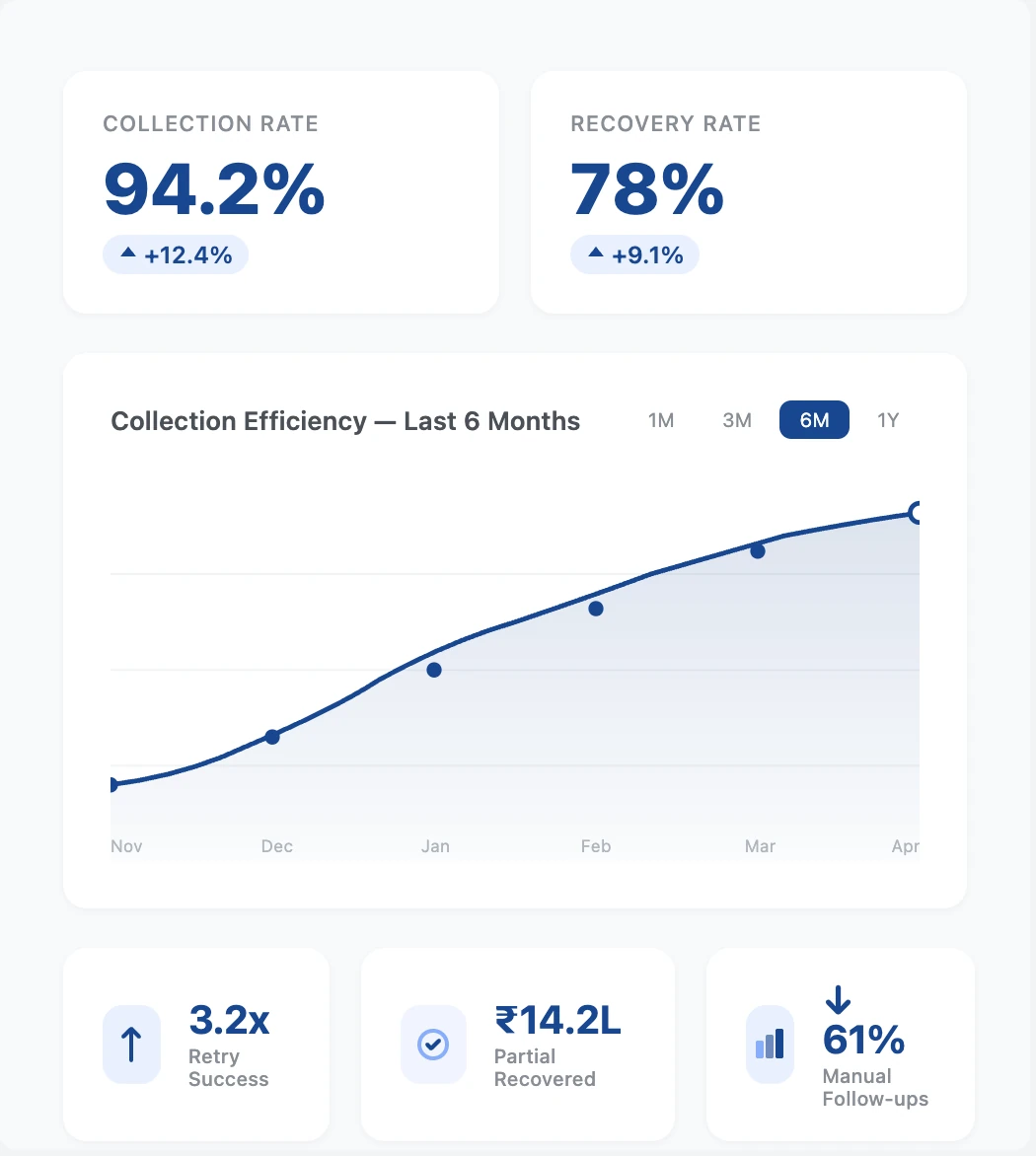
Custom workflow coverage
24x7 Support
On-time settlements
Enhanced security
Our Impact
Built on the trust of lenders and cooperatives across India.
200+
Businesses served
₹300 Cr+
Worth of mandates created
10 lakh+
Transactions created
How RocketPay integrates with your deposit collection workflow.
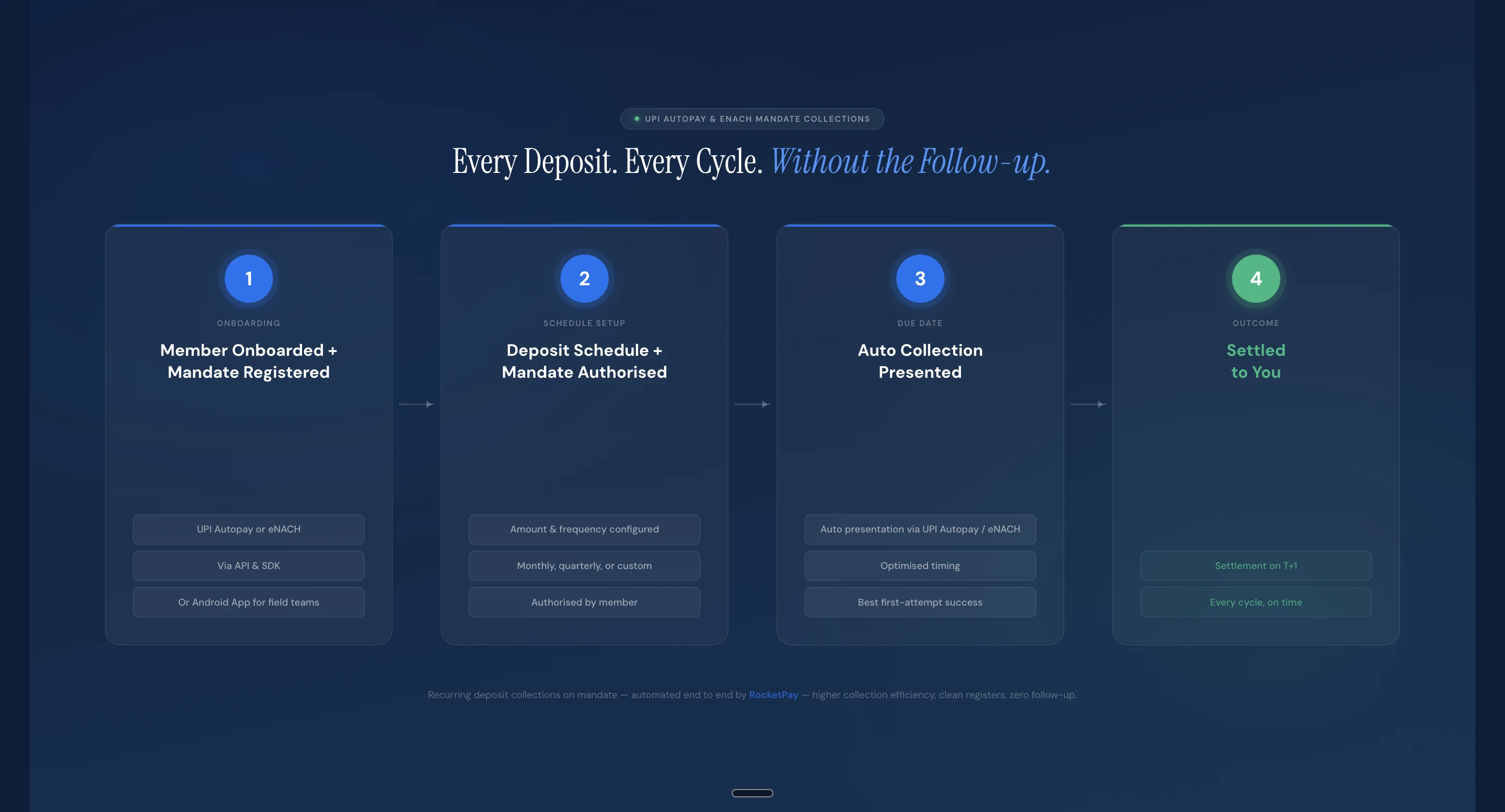
Deploy RocketPay your way
Two ways to get started — pick what fits your team and technical setup.


“Clayo has revolutionized how I manage my startup’s finances. The platform is intuitive and the insights are incredibly valuable. I can’t imagine going back to how we used to do things.”

Sarah Thompson
Founder, GreenPath Solutions
“Thanks to Clayo, our team has gained better visibility into our budget and spending trends. The automation features save us hours every week, and the platform just keeps getting better.”

David Wilson
CFO, Nova Enterprises
“I’ve used several financial platforms before, but none as complete and user-friendly as Clayo. It’s helped me grow my freelance business with confidence and clarity.”

Emily Harris
Freelance Consultant, EH Strategies
“Clayo delivers exactly what modern businesses need — simplicity, power, and reliability. Our financial operations are smoother than ever.”

James O’Connor
Managing Director, BrightCore Ltd
“Clayo gives me peace of mind. Tracking expenses and setting financial goals has never been easier. The design is clean, and everything just works.”

Olivia Bennett
Marketing Director, Horizon Brands
“As a small business owner, Clayo has been a lifesaver. It’s like having a full finance team in one app. Highly recommend it to anyone looking to scale smartly.”

Michael Reed
Owner, Reed & Co.
Frequently asked questions
What is a mandate?
A mandate is a one-time permission your customer gives you to collect payments automatically on a scheduled date. They approve it once — through UPI Autopay or eNACH, which are NPCI's systems for automated recurring payments — and every collection after that happens without any follow-up needed from either side.
Does a customer need to approve each collection separately?
No. A mandate requires only one-time authorisation. Once approved, all subsequent collections within the mandate happen automatically on the scheduled dates — no OTP, no PIN, no action required from either party.
Is KYC required to start using RocketPay?
Yes — your business will need to complete a one-time KYC verification as part of onboarding. This is a standard regulatory requirement for all businesses using payment infrastructure in India. No KYC is required from your end customers — they simply authenticate the mandate, and collections run from there.
How does RocketPay automate collections?
Once your customer sets up a mandate, RocketPay handles everything from there. On the due date, the payment is collected automatically via UPI Autopay or eNACH — no manual follow-up needed. If a payment fails, RocketPay retries automatically at the right time. You can also retry manually on your own chosen date directly from the dashboard. Every collection attempt and its status is visible in real time on your dashboard.
Which banks and UPI apps support UPI AutoPay mandate registration?
Any NPCI-registered UPI app and bank supports UPI AutoPay mandate registration — including PhonePe, Google Pay, Paytm, BHIM, WhatsApp Pay, Amazon Pay, and all major bank-native apps. The mandate is registered against the customer's VPA handle. For the complete and updated list of supported banks and PSP apps, visit the official NPCI page.
What instruments can customers use to authenticate an eNACH mandate?
The three most common eNACH authentication methods are — Net Banking, Debit Card, and Aadhaar OTP. Some banks additionally support PAN-based authentication, and a few offer Customer ID-based authentication via their own portal. Available methods vary by bank. For the complete list of supported banks and their authentication options, visit the official NPCI page.
What is the per-transaction limit for UPI Autopay and eNACH collections?
These limits apply per debit — not per mandate. UPI Autopay supports collections up to ₹15,000 per transaction. eNACH supports up to ₹1 crore per transaction. The mandate itself carries no amount cap — it simply authorises future debits on the schedule you set. For portfolios where each collection exceeds ₹15,000, eNACH is the appropriate instrument.
What do the different mandate statuses mean?
Pending — The mandate link has been sent to your customer, but it is not approved yet. No collections will happen until your customer authorises the mandate.
Active — Your customer has approved the mandate. Collections will run automatically on the scheduled dates.
Paused — The mandate is active but temporarily paused. No future debits will be attempted until the mandate is unpaused or resumed.
Finished — The mandate has completed its full tenure. No further debits will occur.
Cancelled — The mandate has been cancelled. No further debits will occur.
Expired — The mandate link was not approved within the validity window and has lapsed. You will need to send a new mandate request to the customer.
Active — Your customer has approved the mandate. Collections will run automatically on the scheduled dates.
Paused — The mandate is active but temporarily paused. No future debits will be attempted until the mandate is unpaused or resumed.
Finished — The mandate has completed its full tenure. No further debits will occur.
Cancelled — The mandate has been cancelled. No further debits will occur.
Expired — The mandate link was not approved within the validity window and has lapsed. You will need to send a new mandate request to the customer.
Can collections happen after a mandate is either finished or cancelled?
No. Once a mandate is finished or cancelled, no further debits are possible against it. The mandate is permanently closed. If you need to start collections again, a new mandate must be created and approved by the customer.
How long does settlement take after a successful collection?
Settlement happens on T+1 — funds are credited to your account on the next business day after a successful collection. This applies to both UPI Autopay and eNACH. Settlement timing starts from when the debit is confirmed on the customer's account. You can track exact collection and settlement timestamps in real time from your RocketPay dashboard.
What happens if settlement fails due to a bank issue?
RocketPay automatically retries failed settlements until they go through — no action is needed from your end. The collected amount remains secure and is not affected by the delay. Once the retry succeeds, funds are credited to your account. You can monitor settlement status in real time from your dashboard. You can always reach out to our 24x7 support for assistance.
Can I retry a failed collection on a specific date?
Yes. If a collection attempt fails, you can schedule a retry for any future date of your choice — directly from the dashboard or via API. There is no fixed retry schedule; the business decides when to retry till the mandate remains active — no changes needed.
Can I skip a specific collection without pausing or cancelling the mandate?
Yes. You can skip any collection as long as its collection attempt has not been initiated. The mandate stays active and all future collections run as scheduled. Only that one instalment is skipped.
Do customers receive a notification before each debit?
Yes — customers receive two automatic notifications before each scheduled collection. The destination bank sends a pre-debit notification at least 24 hours in advance, and RocketPay sends one as well. The business does not need to trigger or configure either. The customer is informed of the amount and date before the debit goes through.
What happens if a customer doesn't have sufficient balance on the due date?
For eNACH mandates, the customer's bank charges a penalty of ₹550 + GST for the failed debit. For UPI Autopay mandates, no such penalty applies. In both cases, you can schedule a retry for any future date directly from your dashboard.
What are the different installment statuses and what do they mean?
Upcoming — The due date has not arrived yet. No collection attempt has been initiated.
Payment collection initiated — The debit request has been sent to the end-customer's bank. It will be attempted within 24 hours.
Payment collected, processing — The amount has been successfully debited. Settlement to your account is in progress.
Payment failed — The collection attempt failed — typically due to insufficient balance or a bank-side issue. You can schedule a retry for any future date from your dashboard.
Settlement initiated — Settlement to your bank account has been initiated.
Payment deposited to you — The collected amount has been credited to your linked bank account.
Settlement failed — Settlement to your account failed. RocketPay automatically retries. You can also reach out to our 24x7 support.
Skipped — This installment was intentionally skipped. No debit was attempted.
Manually collected — You have marked this installment as collected outside of RocketPay.
Payment collection initiated — The debit request has been sent to the end-customer's bank. It will be attempted within 24 hours.
Payment collected, processing — The amount has been successfully debited. Settlement to your account is in progress.
Payment failed — The collection attempt failed — typically due to insufficient balance or a bank-side issue. You can schedule a retry for any future date from your dashboard.
Settlement initiated — Settlement to your bank account has been initiated.
Payment deposited to you — The collected amount has been credited to your linked bank account.
Settlement failed — Settlement to your account failed. RocketPay automatically retries. You can also reach out to our 24x7 support.
Skipped — This installment was intentionally skipped. No debit was attempted.
Manually collected — You have marked this installment as collected outside of RocketPay.
The due date has passed but the installment was not collected. What should I do?
If the collection did not happen on the due date, you can schedule a retry directly from your dashboard. Retries are possible as long as the mandate is active. RocketPay keeps the mandate active for 90 days after the last installment's scheduled collection date, giving you a sufficient window to retry any missed installment.
How do I create a mandate for a customer?
Create mandate → Enter customer details and set the collection schedule → Share the mandate link with your customer → Customer authorises once via UPI Autopay or eNACH → Collections run automatically on the scheduled dates
What does a customer experience when authorising a UPI AutoPay mandate?
There are two ways a customer can authorise a UPI AutoPay mandate:
Via mandate link — The customer receives the mandate link → Opens it and confirms the payment details → Enters their UPI ID or selects a UPI app → A request appears on their UPI app (PhonePe, Google Pay, Paytm, or any other) → They accept and enter their UPI PIN → Mandate is active
Via QR code — The business presents a QR code to the customer → Customer opens their UPI app and scans the QR code → They are taken directly to the AutoPay setup page → They accept and enter their UPI PIN → Mandate is active
Via mandate link — The customer receives the mandate link → Opens it and confirms the payment details → Enters their UPI ID or selects a UPI app → A request appears on their UPI app (PhonePe, Google Pay, Paytm, or any other) → They accept and enter their UPI PIN → Mandate is active
Via QR code — The business presents a QR code to the customer → Customer opens their UPI app and scans the QR code → They are taken directly to the AutoPay setup page → They accept and enter their UPI PIN → Mandate is active
What does a customer experience when authorising an eNACH mandate?
The customer receives the mandate link → Opens it and confirms the payment details → Enters their bank account details → Selects their authentication method (Net Banking, Debit Card, or Aadhaar OTP) → Completes verification on their bank's page → Mandate is active
What legal recourse do I have if a borrower's UPI AutoPay or eNACH payment bounces due to insufficient funds?
A mandate bounce due to insufficient funds is a criminal offence under Section 25 of the Payment and Settlement Systems (PSS) Act, 2007 — carrying the same legal weight as a cheque dishonour under Section 138 of the NI Act. Both UPI AutoPay and eNACH/NACH mandates qualify as “electronic funds transfers” under Section 2(1)(c) of the PSS Act and are explicitly covered. The NPCI's November 2021 circular further confirmed this for UPI AutoPay, putting recurring digital payment failures — including EMIs — on the same footing as traditional cheque dishonour.
To initiate proceedings: issue a written demand notice to the borrower within 30 days of the bounce. The borrower has 15 days to make the payment. If they do not, you can initiate criminal prosecution. Under Section 25(3), the borrower cannot use ignorance of their account balance as a defence. The penalty can be imprisonment up to 2 years, a fine up to twice the defaulted amount, or both.
To initiate proceedings: issue a written demand notice to the borrower within 30 days of the bounce. The borrower has 15 days to make the payment. If they do not, you can initiate criminal prosecution. Under Section 25(3), the borrower cannot use ignorance of their account balance as a defence. The penalty can be imprisonment up to 2 years, a fine up to twice the defaulted amount, or both.
How does RocketPay automate collections?
Once your customer sets up a mandate, RocketPay handles everything from there. On the due date, the payment is collected automatically via UPI Autopay or eNACH — no manual follow-up needed. If a payment fails, RocketPay retries automatically at the right time. You can also retry manually on your own chosen date directly from the dashboard. Every collection attempt and its status is visible in real time on your dashboard.
Which banks and UPI apps support UPI AutoPay mandate registration?
Any NPCI-registered UPI app and bank supports UPI AutoPay mandate registration — including PhonePe, Google Pay, Paytm, BHIM, WhatsApp Pay, Amazon Pay, and all major bank-native apps. The mandate is registered against the customer's VPA handle. For the complete and updated list of supported banks and PSP apps, visit the official NPCI page.
What instruments can customers use to authenticate an eNACH mandate?
The three most common eNACH authentication methods are — Net Banking, Debit Card, and Aadhaar OTP. Some banks additionally support PAN-based authentication, and a few offer Customer ID-based authentication via their own portal. Available methods vary by bank. For the complete list, visit the official NPCI page.
What is the per-transaction limit for UPI Autopay and eNACH collections?
These limits apply per debit — not per mandate. UPI Autopay supports collections up to ₹15,000 per transaction. eNACH supports up to ₹1 crore per transaction. The mandate itself carries no amount cap. For portfolios where each collection exceeds ₹15,000, eNACH is the appropriate instrument.
What do the different mandate statuses mean?
Pending — Not approved yet. No collections until authorised.
Active — Approved. Collections run automatically on scheduled dates.
Paused — Temporarily paused. No debits until resumed.
Finished — Completed full tenure. No further debits.
Cancelled — Cancelled. No further debits.
Expired — Not approved within validity window. Send a new mandate request.
Active — Approved. Collections run automatically on scheduled dates.
Paused — Temporarily paused. No debits until resumed.
Finished — Completed full tenure. No further debits.
Cancelled — Cancelled. No further debits.
Expired — Not approved within validity window. Send a new mandate request.
Can collections happen after a mandate is finished or cancelled?
No. Once finished or cancelled, no further debits are possible. The mandate is permanently closed. To collect again, a new mandate must be created and approved by the customer.
How long does settlement take after a successful collection?
Settlement happens on T+1 — funds are credited to your account on the next business day after a successful collection. This applies to both UPI Autopay and eNACH. You can track collection and settlement timestamps in real time from your RocketPay dashboard.
What happens if settlement fails due to a bank issue?
RocketPay automatically retries failed settlements until they go through — no action needed from your end. The collected amount remains secure. Once the retry succeeds, funds are credited to your account. You can reach out to our 24x7 support for assistance.
Can I retry a failed collection on a specific date?
Yes. If a collection attempt fails, you can schedule a retry for any future date of your choice — directly from the dashboard or via API. There is no fixed retry schedule; the business decides when to retry as long as the mandate remains active.
Can I skip a specific collection without cancelling the mandate?
Yes. You can skip any collection as long as its attempt has not been initiated. The mandate stays active and all future collections run as scheduled. Only that one instalment is skipped.
Do customers receive a notification before each debit?
Yes — customers receive two automatic notifications before each scheduled collection. The destination bank sends a pre-debit notification at least 24 hours in advance, and RocketPay sends one as well. No configuration needed from your end.
What happens if a customer doesn't have sufficient balance on the due date?
For eNACH mandates, the customer's bank charges a penalty of ₹550 + GST for the failed debit. For UPI Autopay mandates, no such penalty applies. In both cases, you can schedule a retry for any future date directly from your dashboard.
What are the different installment statuses and what do they mean?
Upcoming — Due date not arrived. No attempt initiated.
Payment collection initiated — Debit request sent to customer's bank.
Payment collected, processing — Amount debited. Settlement in progress.
Payment failed — Collection failed. Schedule a retry from your dashboard.
Settlement initiated — Settlement to your bank account initiated.
Payment deposited to you — Amount credited to your linked bank account.
Settlement failed — Settlement failed. RocketPay retries automatically. Contact 24x7 support if needed.
Skipped — Intentionally skipped. No debit attempted.
Manually collected — Marked as collected outside RocketPay.
Payment collection initiated — Debit request sent to customer's bank.
Payment collected, processing — Amount debited. Settlement in progress.
Payment failed — Collection failed. Schedule a retry from your dashboard.
Settlement initiated — Settlement to your bank account initiated.
Payment deposited to you — Amount credited to your linked bank account.
Settlement failed — Settlement failed. RocketPay retries automatically. Contact 24x7 support if needed.
Skipped — Intentionally skipped. No debit attempted.
Manually collected — Marked as collected outside RocketPay.
The due date has passed but the installment was not collected. What should I do?
You can schedule a retry directly from your dashboard. Retries are possible as long as the mandate is active. RocketPay keeps the mandate active for 90 days after the last installment's scheduled collection date.
How do I create a mandate for a customer?
Create mandate → Enter customer details and set the collection schedule → Share the mandate link with your customer → Customer authorises once via UPI Autopay or eNACH → Collections run automatically on the scheduled dates
What does a customer experience when authorising a UPI AutoPay mandate?
Via mandate link — Customer receives link → Confirms details → Enters UPI ID or selects app → Request appears on UPI app → Accepts and enters PIN → Mandate active
Via QR code — Business shows QR code → Customer scans with UPI app → Taken to AutoPay setup page → Accepts and enters PIN → Mandate active
Via QR code — Business shows QR code → Customer scans with UPI app → Taken to AutoPay setup page → Accepts and enters PIN → Mandate active
What does a customer experience when authorising an eNACH mandate?
Customer receives mandate link → Opens it and confirms details → Enters bank account details → Selects authentication method (Net Banking, Debit Card, or Aadhaar OTP) → Completes verification on bank's page → Mandate active
What legal recourse do I have if a borrower's payment bounces due to insufficient funds?
A mandate bounce due to insufficient funds is a criminal offence under Section 25 of the PSS Act, 2007 — carrying the same legal weight as a cheque dishonour under Section 138 of the NI Act. Both UPI AutoPay and eNACH mandates qualify as electronic funds transfers under the PSS Act. The NPCI's November 2021 circular confirmed this for UPI AutoPay.
To initiate proceedings: issue a written demand notice within 30 days of the bounce. The borrower has 15 days to pay. If they do not, you can initiate criminal prosecution. The borrower cannot use ignorance of their account balance as a defence. Penalty: up to 2 years imprisonment, a fine up to twice the defaulted amount, or both.
To initiate proceedings: issue a written demand notice within 30 days of the bounce. The borrower has 15 days to pay. If they do not, you can initiate criminal prosecution. The borrower cannot use ignorance of their account balance as a defence. Penalty: up to 2 years imprisonment, a fine up to twice the defaulted amount, or both.